Realtor Email Database in 2026: How to Find & Reach Real Estate Agents
If you sell to real estate professionals — software, marketing, insurance, recruiting, photography, or financing — a good realtor contact list is the difference between fast, relevant outreach and a stale spreadsheet nobody replies to.
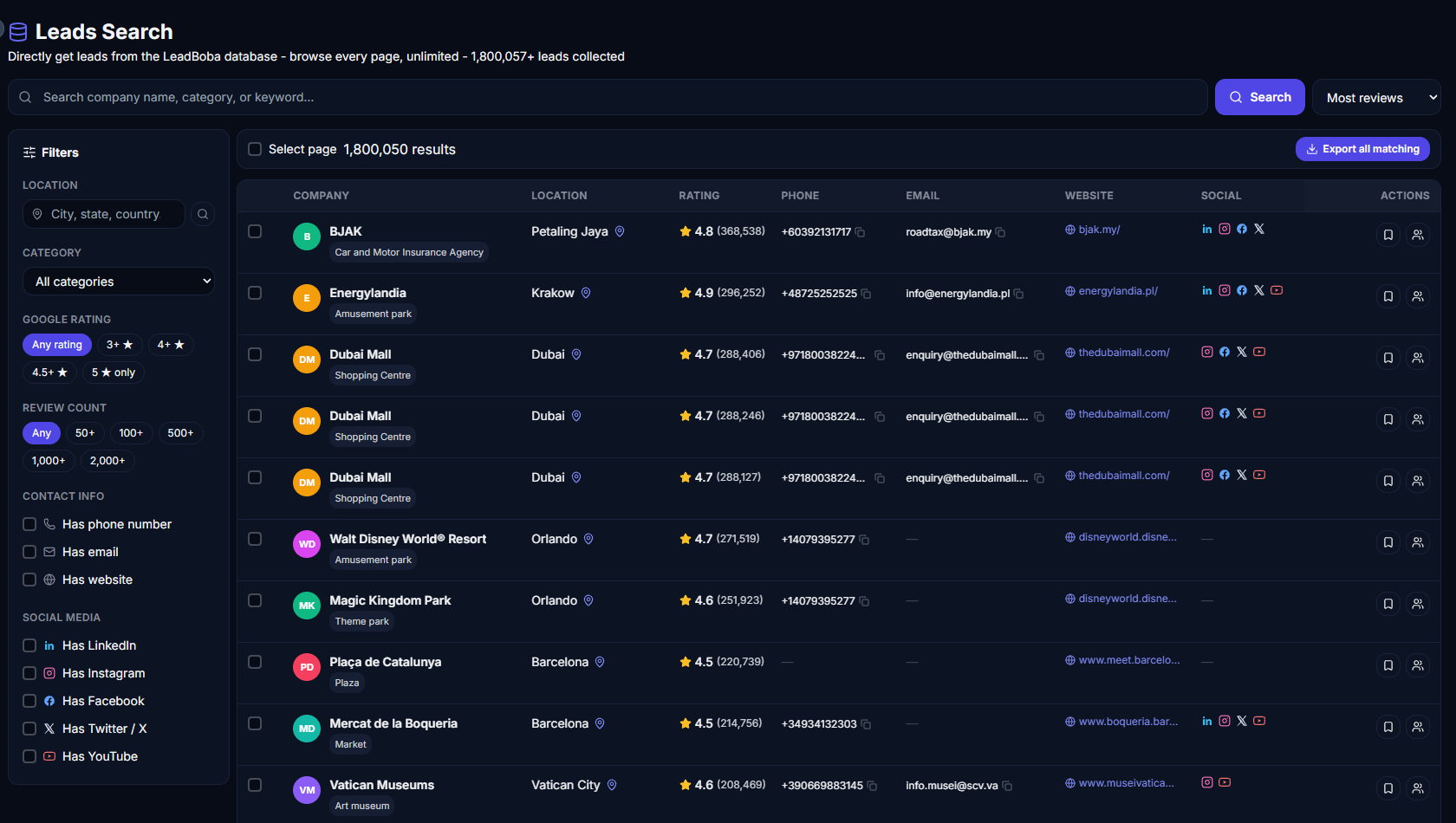
A screenshot of a filtered real estate search fits well here
A large list of real estate agents isn't automatically a useful list. Some contacts have no email at all, some are outdated, some belong to businesses that no longer operate, and others only publish a shared inbox like info@ rather than a named contact.
What actually matters is being able to find relevant businesses, surface the contact details that are publicly available, filter down to the ones worth contacting, and organize prospects before outreach even starts. That's the workflow tools like LeadBoba are built around.
This guide walks through how to build a useful realtor email database in 2026, what a good lead record should contain, how to segment real estate prospects, and how to turn that list into a repeatable outreach process.
- →What is a realtor email database?
- →Why realtor lists are hard to build
- →How to find real estate agent emails
- →Building a realtor database with LeadBoba
- →How to segment real estate leads
- →Generic emails vs personal emails
- →How to email & personalize outreach
- →Keeping your database clean
- →Real estate lead generation KPIs
- →Email database vs lead database
- →Frequently asked questions
What Is a Realtor Email Database?
A realtor email database is a collection of business and contact information for real estate professionals — individual agents, agencies, brokerages, property managers, commercial real estate firms, developers, and specialist property businesses.
Depending on how it's collected, a useful record can include far more than just an email address:
| Field | Why it matters |
|---|---|
| Business / agent name | Identifies the prospect |
| Primary outreach channel | |
| Phone | Alternative contact method |
| Website | Research & personalization |
| Address / city | Geographic targeting |
| Category | Segmentation |
| Reviews & rating | Activity & qualification signal |
| Social profiles | Additional prospect research |
Not every lead will have every field filled in — that's normal. The goal isn't a perfectly uniform spreadsheet; it's collecting enough public, relevant information to prioritize outreach sensibly.
Why Real Estate Agent Email Lists Are Hard to Build
Finding a handful of real estate businesses is easy. Finding hundreds or thousands with genuinely useful contact information is a different problem — real estate professionals operate under very different structures (solo agents, agencies, brokerages, property managers, investors, developers) and publish contact details inconsistently. One business lists a direct email, another only a shared office inbox, another has social profiles and a phone number but no visible email at all.
A more reliable process looks like this:
Search → Filter → Find contact info → Review → Segment → Outreach → Track
How to Find Real Estate Agent Email Addresses
1. Search Manually
Google, directories, agency sites, and social platforms work fine for a small number of prospects — but manually finding a few thousand contacts eats an enormous amount of time.
2. Buy a Static List
Faster, but you don't control when the data was collected. Businesses change websites, staff, and locations constantly, so before using a purchased list it's worth checking how it was sourced, how often it's refreshed, and whether duplicates are removed.
3. Build Leads From Business Searches
Search by category and location and collect the publicly available information tied to those businesses — e.g. "Real estate agents + Miami" or "Real estate agencies + Manchester." This gives far more control than one giant, undifferentiated database.
Building a Realtor Email Database With LeadBoba
Instead of starting from a spreadsheet of thousands of unrelated businesses, LeadBoba lets you search by category and location — e.g. "Real estate agents in Birmingham" — and see what's actually available for each one: business name, website, email, phone, address, reviews, rating, and social profiles.
- Choose your market — agent, agency, brokerage, property management, developer, commercial real estate.
- Choose your location — city, region, or several markets at once.
- Review what contact information is actually available per lead, rather than assuming every business has an email.
- Filter down to businesses with email, website, phone, or a given review count.
- Save selected prospects into a pipeline instead of juggling separate spreadsheets.
Once your prospects are organized, LeadBoba supports personalized outreach variables like [companyname], [reviews], [rating], [location], [category], [address], and [website] — swapped in automatically per lead when a campaign sends.
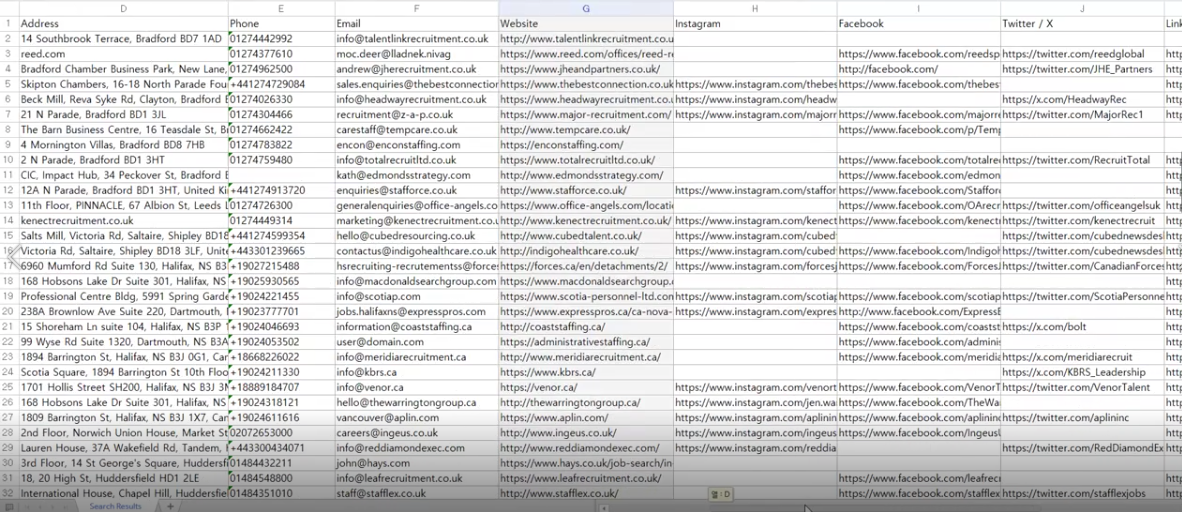
A screenshot of a filtered LeadBoba real estate search fits well here
How to Segment Real Estate Leads
A 500-agent brokerage and a solo agent working from home have very different needs — treating every prospect the same is one of the most common prospecting mistakes.
Agents in London, agencies in Birmingham, property managers in Leeds — useful whenever your product or service depends on a local market.
Individual agents, agencies, brokerages, property managers, commercial firms, and developers each warrant a different pitch.
Has a website / has email / has social media / has a phone number — especially useful for web design and marketing agencies.
A business with hundreds of reviews looks very different from one with a handful — useful as one qualification signal among several.
Generic Emails vs Personal Emails
You'll run into both john@example.com-style personal addresses and shared ones like info@example.com or office@example.com. A personal address makes direct personalization easier — but a generic one isn't automatically useless.
For many small agencies, the info@ inbox is the primary business channel. The one thing to avoid is treating a generic address as if it belongs to a named individual when you don't actually know that.
How to Email Real Estate Agents — and Personalize It
A first email doesn't need to be clever. It needs to be clearly relevant to the recipient — a short, targeted message consistently outperforms a generic one blasted to thousands of unrelated businesses.
Structured personalization is usually enough — no need to hand-write a unique message per prospect:
- Reference the business by name and the market it operates in.
- Mention something real and specific — review count, category, or website — never a manufactured compliment.
- Lead with a reason the message is relevant to them, not a generic pitch.
- Keep the ask small: a quick question, not an immediate sales pitch.
Accuracy matters more than flattery — referencing "200 reviews" on a listing that has 12 does more damage than sending a plainer message.
Keeping Your Realtor Email Database Clean
A database isn't finished the moment it's exported — it needs ongoing upkeep. Before sending a campaign, check for:
- Duplicate leads
- Invalid or disposable email addresses
- Outdated contact information
- Unsubscribed contacts
- Businesses that have closed
- Leads no longer relevant to your offer
Watch your bounce rate closely — if it spikes suddenly, stop sending and investigate before continuing the campaign.
Real Estate Lead Generation KPIs
Once outreach is underway, measure the full funnel rather than just the lead count:
- Number of relevant leads identified
- Email availability rate across those leads
- Bounce rate
- Reply rate
- Positive reply rate
- Meetings booked
- Customers won
The final metric matters more than list size — a database of 50,000 loosely-matched businesses is worth less than 5,000 genuinely relevant ones.
Realtor Email Database vs Real Estate Lead Database
The two terms get used interchangeably, but they describe slightly different things. An email database focuses on contact info alone — name and email. A lead database carries more: company, contact, email, phone, website, location, reviews, rating, social profiles, and pipeline status.
For B2B sales, the richer structure is usually more useful, since it can be used throughout the entire sales process rather than just the first email.
Frequently Asked Questions
A Better List Beats a Bigger List
Building a useful realtor email database isn't about collecting as many addresses as possible — it's about combining relevant businesses with useful, accurate information: who they are, where they operate, and what's publicly known about them.
Start with a specific market, choose the type of real estate business you want to reach, find the available contact information, segment the list, personalize the outreach, and track what happens — then repeat the process for the next market.
Build a realtor email database that actually converts
Search any real estate category and location, see what contact info is actually available, organize prospects in the built-in CRM, and export to CSV — all in one platform.
Leads Generator
Target businesses you won't find on LinkedInExtract leads from Google Maps, Apple Maps and Bing Maps
Real Estate Agent in London (United Kingdom 🇬🇧)