LeadBoba vs Lusha
Which B2B Lead Generation Platform Should You Choose in 2026?
Both platforms help businesses discover potential customers, collect business information, and improve outreach campaigns — but they're built around very different ideas of what a lead generation tool should be. Here's an unbiased, feature-by-feature breakdown to help you decide.
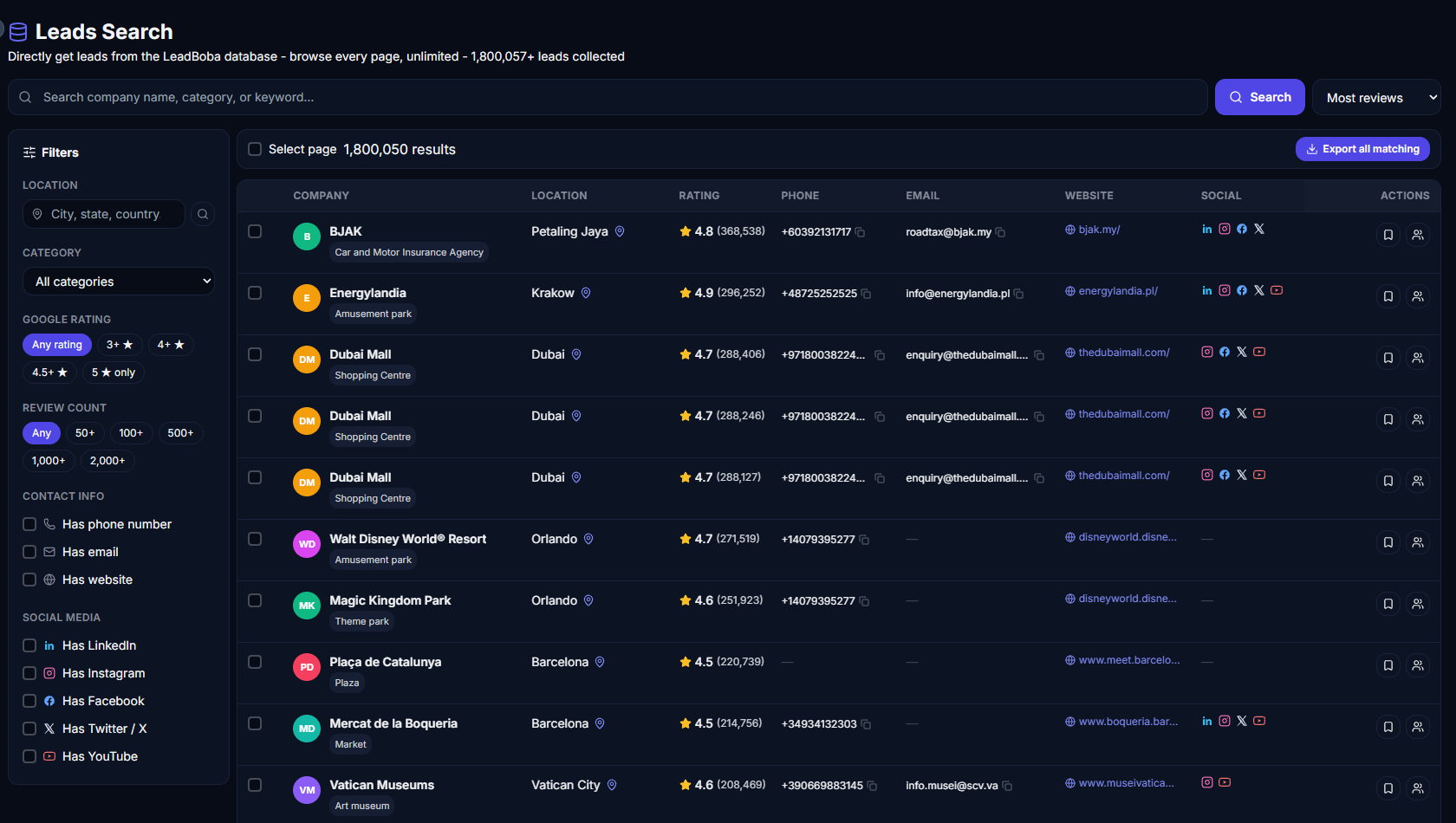
LeadBoba's all-in-one workspace compared with Lusha's contact database view
Both LeadBoba and Lusha are designed to help businesses discover potential customers, collect business information, and improve outreach campaigns.
Lusha is widely known as a B2B contact database and prospecting platform that focuses on providing business contact information for sales teams. LeadBoba takes a broader approach, combining lead generation, CRM management, AI-powered tools, Gmail integration, analytics, calendar management, geographic visualization, and community features inside a single platform.
Rather than functioning solely as a contact database, LeadBoba aims to simplify the entire lead generation process — from discovery to outreach and follow-up.
Lead Discovery Capabilities
Both platforms help users discover valuable business information, including:
- Company names
- Email addresses
- Phone numbers
- Website addresses
- Business locations
- Google Maps information
- Social media profiles
Social media coverage
LeadBoba supports social media discovery across platforms such as:
- X (formerly Twitter)
- YouTube
Real-Time Data Collection
Lusha primarily relies on a large collection of contact information gathered from various sources over time.
LeadBoba combines multiple technologies, including:
- Real-time Google Maps analysis
- Website crawling
- Business information extraction
- Contact information analysis
Instead of relying exclusively on static databases, LeadBoba attempts to retrieve information from publicly available sources whenever possible. This approach helps improve data freshness and may reduce the likelihood of outdated contact information.
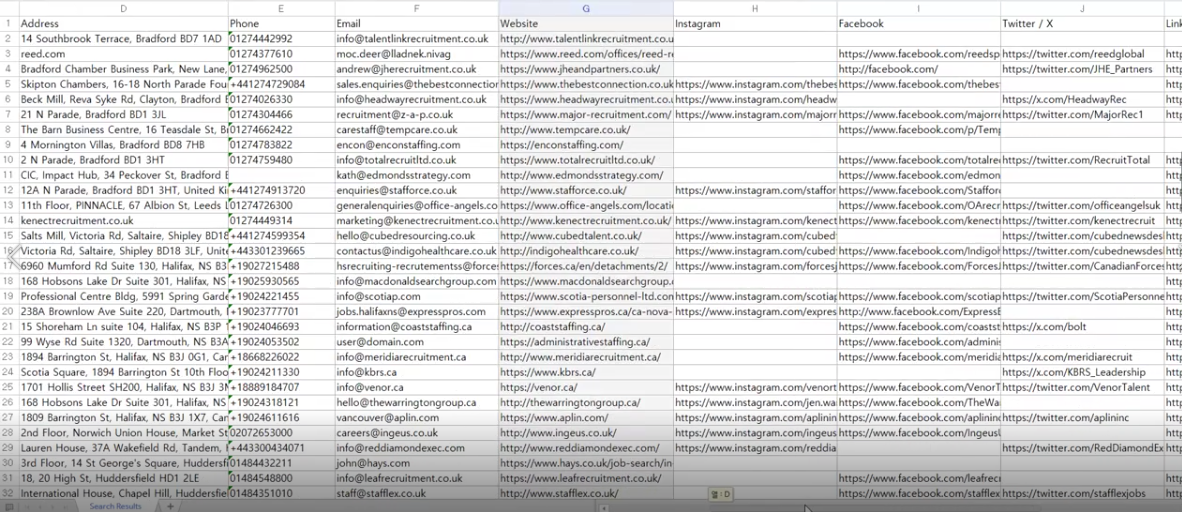
A screenshot comparing search freshness or result timestamps fits well here
Google Maps Integration
One of LeadBoba's most distinctive features is its Google Maps integration. Users can search for businesses using location-based keywords, including examples such as:
- Electricians in London
- Restaurants in Manchester
- Accountants in Birmingham
- Dentists in Liverpool
- Roofers in Leeds
LeadBoba automatically analyzes business profiles and gathers publicly available information from company websites, allowing users to build targeted prospect lists quickly and efficiently.
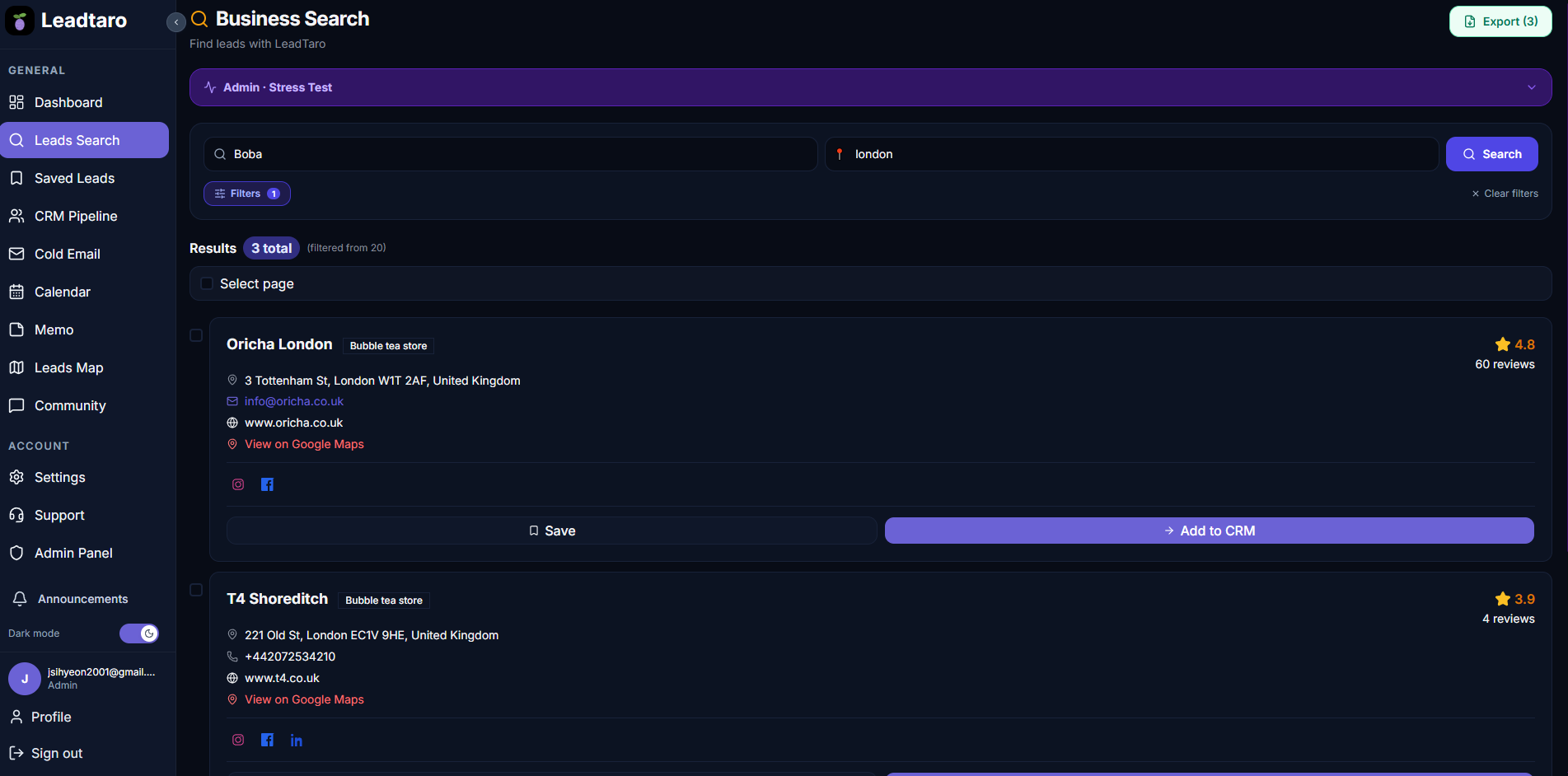
A screenshot of a location-based search (e.g. "electricians in London") fits well here
CRM and Lead Management
LeadBoba includes integrated customer relationship management functionality. Users can:
- Save leads
- Create pipelines
- Organize prospects
- Add notes
- Assign scores
- Track progress
- Review search history
Because everything is available in a single environment, users spend less time switching between different applications.
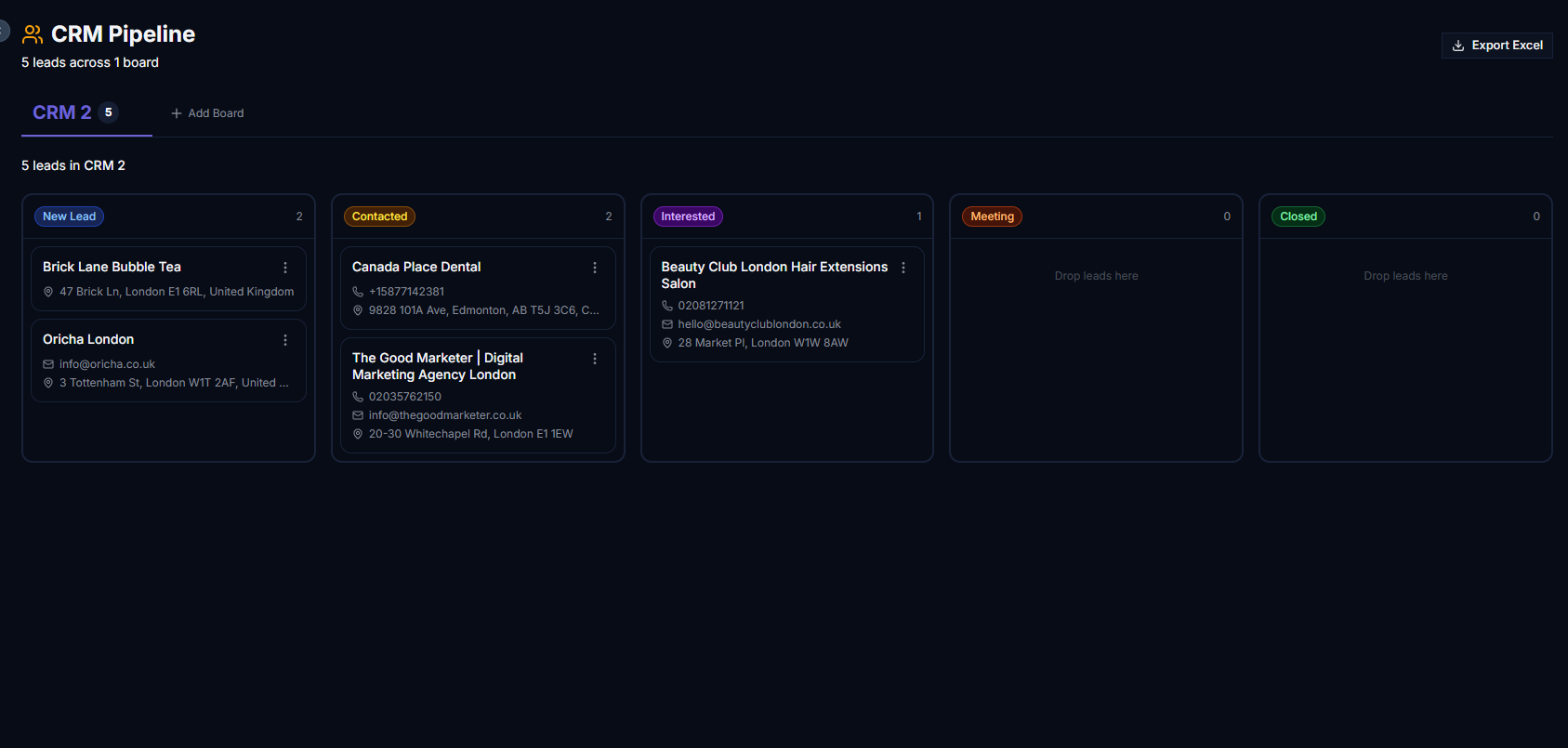
A screenshot of the CRM pipeline/kanban board fits well here
Gmail Integration
LeadBoba provides direct Gmail integration. Users can:
- Connect Gmail accounts
- Send emails from inside the platform
- Upload attachments
- Organize follow-up campaigns
- Track communication history
- Manage conversations
This integrated workflow helps improve efficiency and productivity.
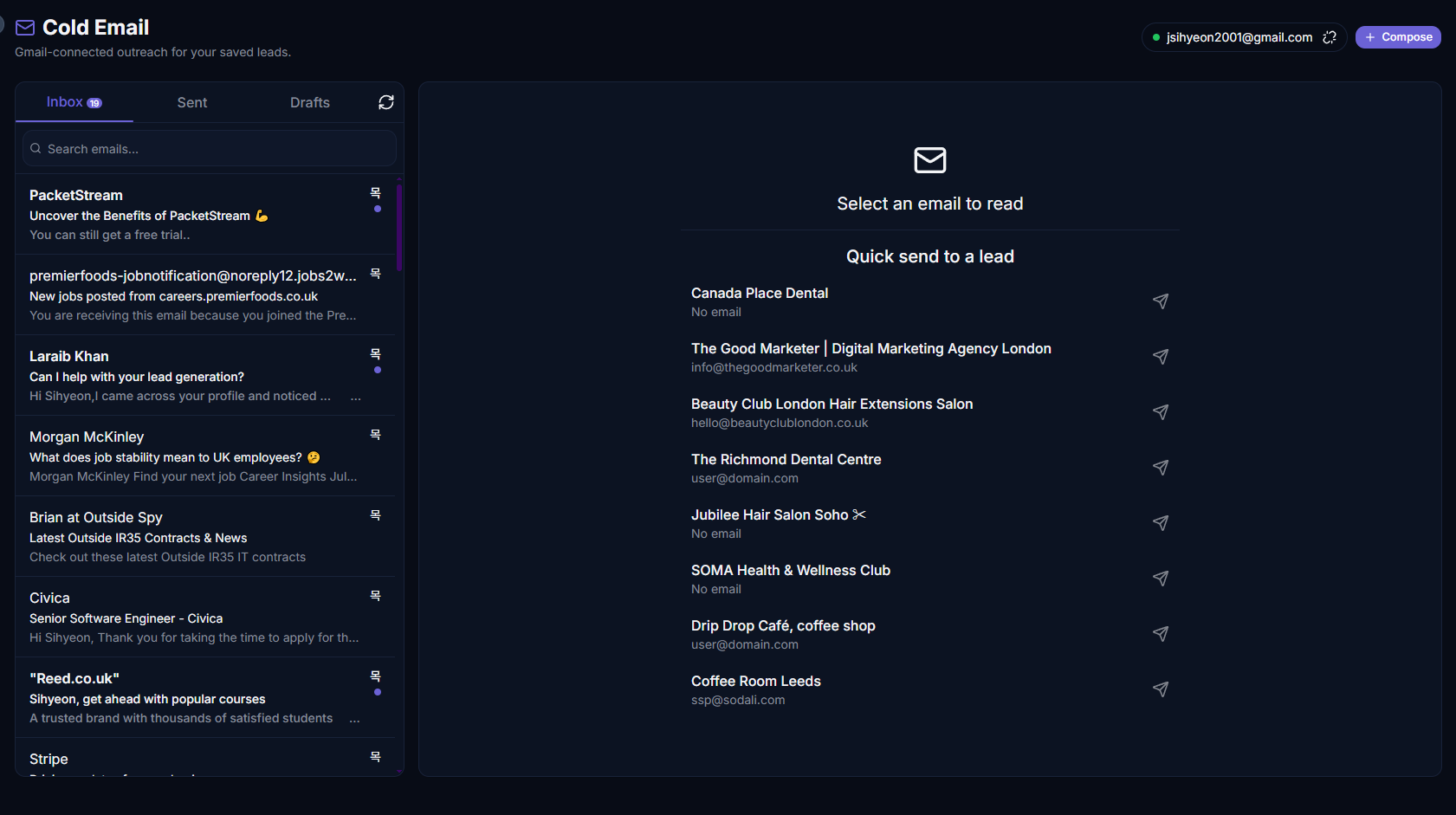
A screenshot of the Gmail composer / cold email tool fits well here
AI-Powered Features
LeadBoba includes several AI tools that are designed to reduce manual work:
- AI cold email generation
- AI-powered writing assistance
- Grammar correction
- Sentence rewriting
- Tone optimization
- Personalized message generation
These tools help users create professional outreach campaigns in less time.
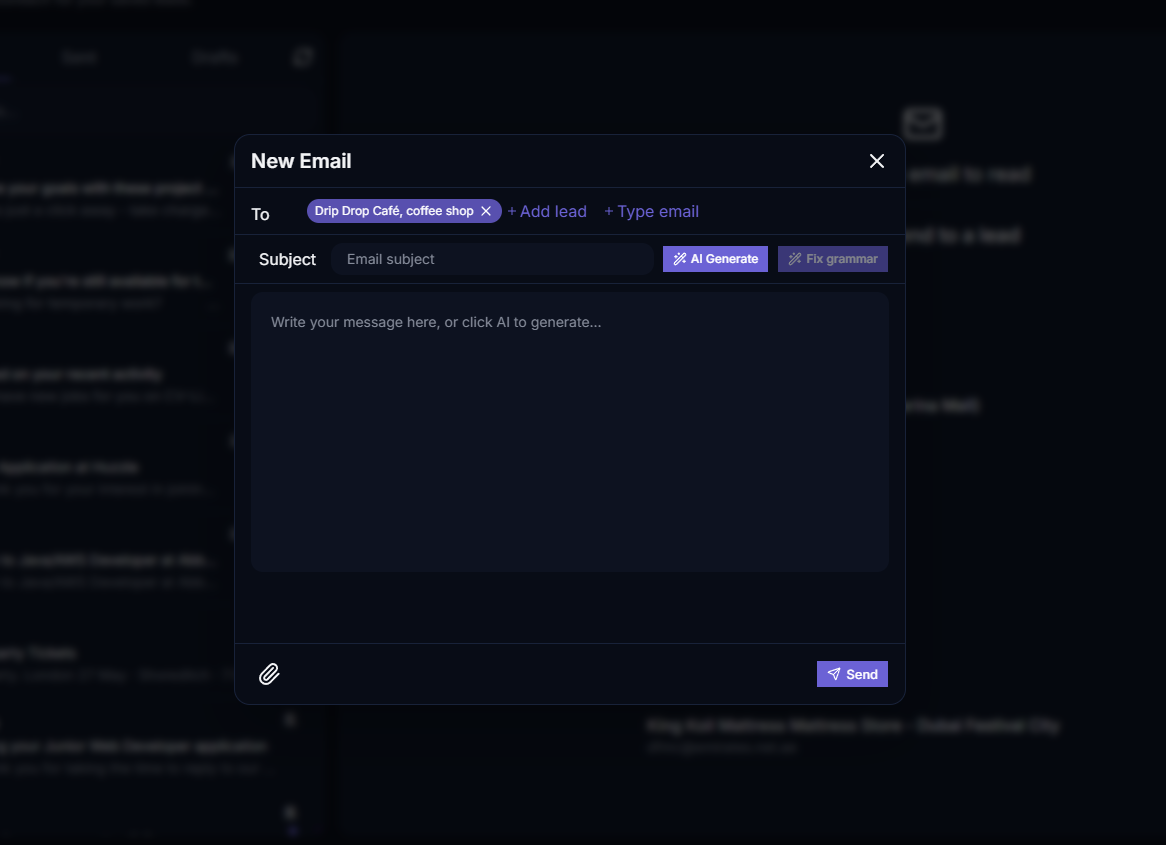
A screenshot of the AI writing assistant fits well here
Interactive World Map
LeadBoba allows users to visualize their saved leads on an interactive global map. This functionality enables users to understand:
- Geographic distribution
- Regional opportunities
- Customer concentration
- Expansion possibilities
Instead of reviewing endless spreadsheets, users can instantly identify valuable markets around the world.
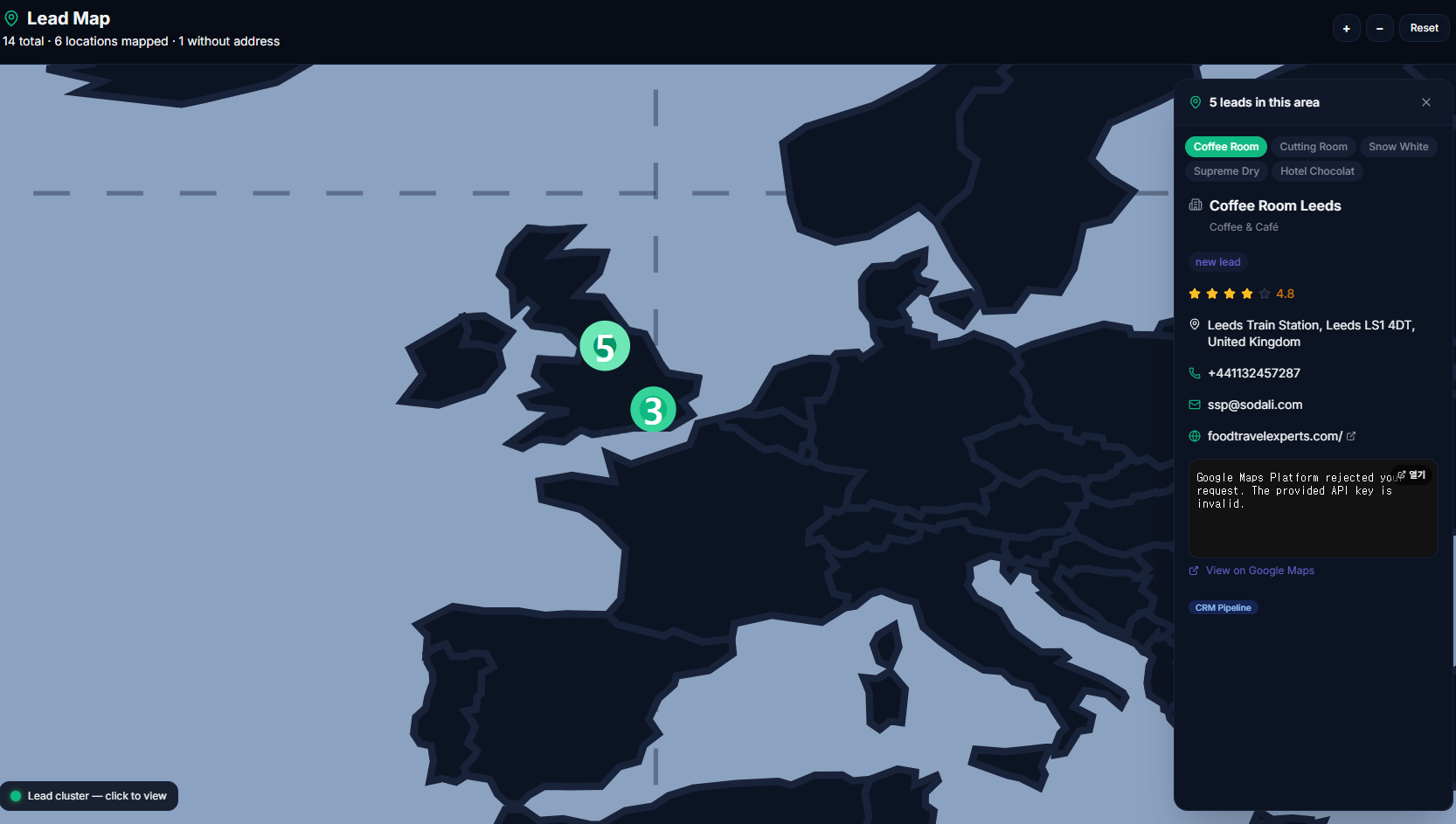
A screenshot of the leads map page fits well here
Community Functionality
LeadBoba includes a built-in community platform. Members can exchange:
- Marketing strategies
- Sales techniques
- Business ideas
- Growth strategies
- Industry knowledge
This transforms the platform into a collaborative ecosystem instead of a simple lead database.

A screenshot of the community/forum page fits well here
Dashboard and Analytics
LeadBoba provides a centralized dashboard where users can monitor:
- Search activity
- Lead quality scores
- Saved leads
- Historical trends
- Outreach activity
- User engagement
This provides a complete overview of business performance.
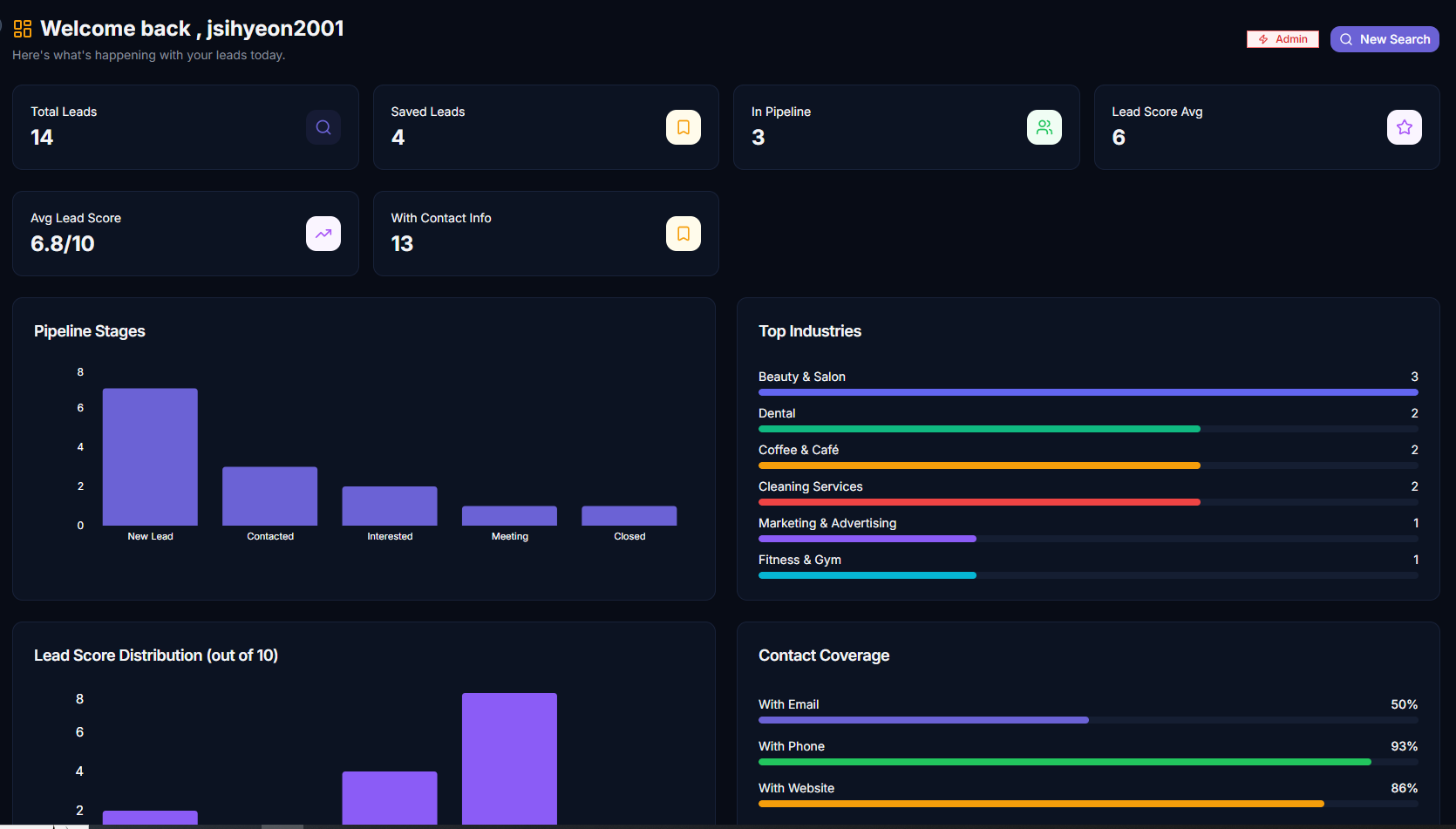
A screenshot of the analytics dashboard fits well here
Ideal Users
Lusha may be suitable for:
- Corporate sales teams
- Recruiters
- Database-focused prospecting teams
- Organizations with established sales processes
LeadBoba may be more appropriate for:
- Freelancers
- Agencies
- Startups
- Local businesses
- Entrepreneurs
- Consultants
- Small and medium-sized businesses
LeadBoba vs Lusha: Feature Comparison Table
A side-by-side summary of the core features covered above.
| Feature | LeadBoba | Lusha |
|---|---|---|
| Email discovery | ||
| Phone number discovery | ||
| Website discovery | ||
| Social media discovery | ||
| Google Maps integration | limited | |
| Real-time website analysis | partial | |
| CRM functionality | limited | |
| Gmail integration | ||
| AI email generation | limited | |
| AI writing assistance | limited | |
| Calendar integration | ||
| Lead notes | ||
| Dashboard analytics | ||
| Community platform | ||
| Interactive world map |
Frequently Asked Questions
So, Which One Should You Choose?
Lusha has established itself as a reliable prospecting platform with a strong focus on business contact information.
LeadBoba takes a broader approach by combining lead generation, customer relationship management, AI-powered assistance, Gmail integration, analytics, calendar tools, community features, and geographic visualization into a unified platform.
Ultimately, the best solution depends on whether your organization needs a traditional contact database or a comprehensive platform designed to support every stage of the lead generation process.
Try LeadBoba's all-in-one workflow for yourself
Search, save, and reach out to your next B2B customers without leaving the platform.